Boilr







Are you doing the same steps over and over again every time you start a new programming project?
Boilr is here to help you create projects from boilerplate templates.
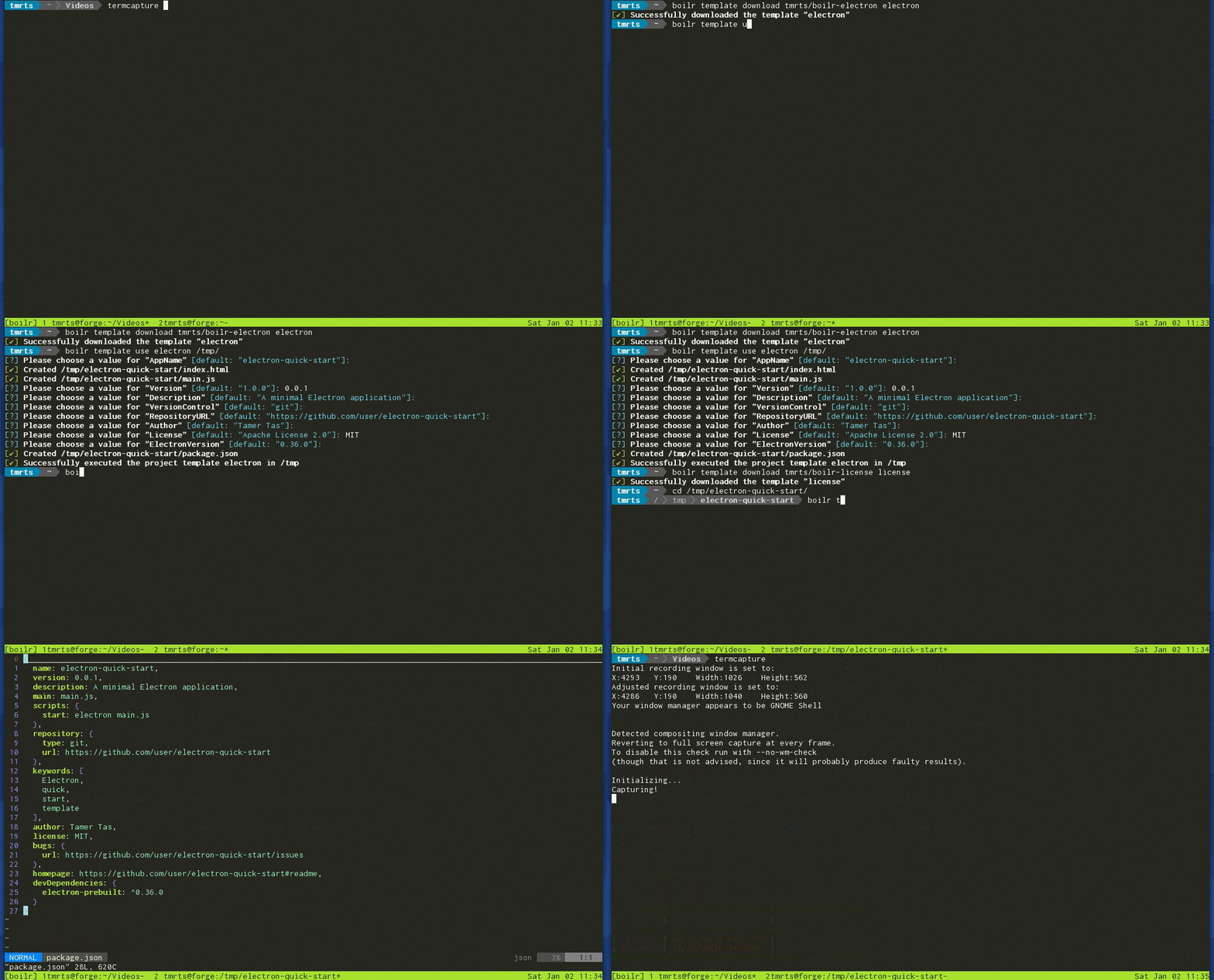
For more details, see [Introduction](https://github.com/tmrts/boilr/wiki/Introduction) page.
# Features
* **No dependencies (NodeJS, Python Interpreter etc.)** - Boilr is a single statically linked binary.
Grab the one that fits your architecture, and you're all set to save time by using templates!
* **Full Power of [Golang Templates](https://golang.org/pkg/text/template/)** - Golang has powerful templating
constructs which are very easy to learn and powerful.
* **Dead-Simple Template Creation** - Creating boilerplate templates are very easy, check out
the [license template](https://github.com/tmrts/boilr-license) to see a simple, but very useful template for
adding licenses to new projects with a single command.
# Installation
Binaries for Linux & OSX are built automatically by Travis every release.
You can download them directly or run the installation script.
Please see [Installation](https://github.com/tmrts/boilr/wiki/Installation) page for more information.
# Getting Started with Boilr
Use `boilr help` to get the list of available commands.
## Download a Template
In order to download a template from a github repository, use the following command:
```bash
boilr template download
boilr template download tmrts/boilr-license license
```
The downloaded template will be saved to local `boilr` registry.
## Save a Local Template
In order to save a template from filesystem to the template registry use the following command:
```bash
boilr template save
boilr template save ~/boilr-license license
```
The saved template will be saved to local `boilr` registry.
## Use a Template
For a Boilr template with the given directory structure:
```tree
.
├── project.json
├── README.md
└── template
└── LICENSE
```
And the following `project.json` context file:
```json
{
"Author": "Tamer Tas",
"Year": "2015",
"License": [
"Apache Software License 2.0",
"MIT",
"GNU GPL v3.0"
]
}
```
When using the template with the following command:
```bash
boilr template use
boilr template use license /workspace/tmrts/example-project/
```
The user will be prompted as follows:
```bash
[?] Please choose an option for "License"
1 - "Apache Software License 2.0"
2 - "MIT"
3 - "GNU GPL v3.0"
Select from 1..3 [default: 1]: 2
[?] Please choose a value for "Year" [default: "2015"]:
[?] Please choose a value for "Author" [default: "Tamer Tas"]:
[✔] Created /workspace/tmrts/example-project/LICENSE
[✔] Successfully executed the project template license in /workspace/tmrts/example-project
```
For more information please take a look at [Usage](https://github.com/tmrts/boilr/wiki/Usage) and [Creating Templates](https://github.com/tmrts/boilr/wiki/Creating-Templates) pages in the wiki.
# List of Templates


 Take a look at the [Templates](https://github.com/tmrts/boilr/wiki/Templates) page for an index of project templates, examples, and more information.
# Need Help? Found a bug? Want a Feature?
If you'd like to contribute, share your opinions or ask questions, please feel free to open an issue.
The [Wiki](https://github.com/tmrts/boilr/wiki) is public and edits are open to everyone, feel free to contribute to sections where you feel needs improvement.
At this stage, user feedback is of **utmost importance**, every contribution is welcome however small it may be.
Take a look at the [Templates](https://github.com/tmrts/boilr/wiki/Templates) page for an index of project templates, examples, and more information.
# Need Help? Found a bug? Want a Feature?
If you'd like to contribute, share your opinions or ask questions, please feel free to open an issue.
The [Wiki](https://github.com/tmrts/boilr/wiki) is public and edits are open to everyone, feel free to contribute to sections where you feel needs improvement.
At this stage, user feedback is of **utmost importance**, every contribution is welcome however small it may be.